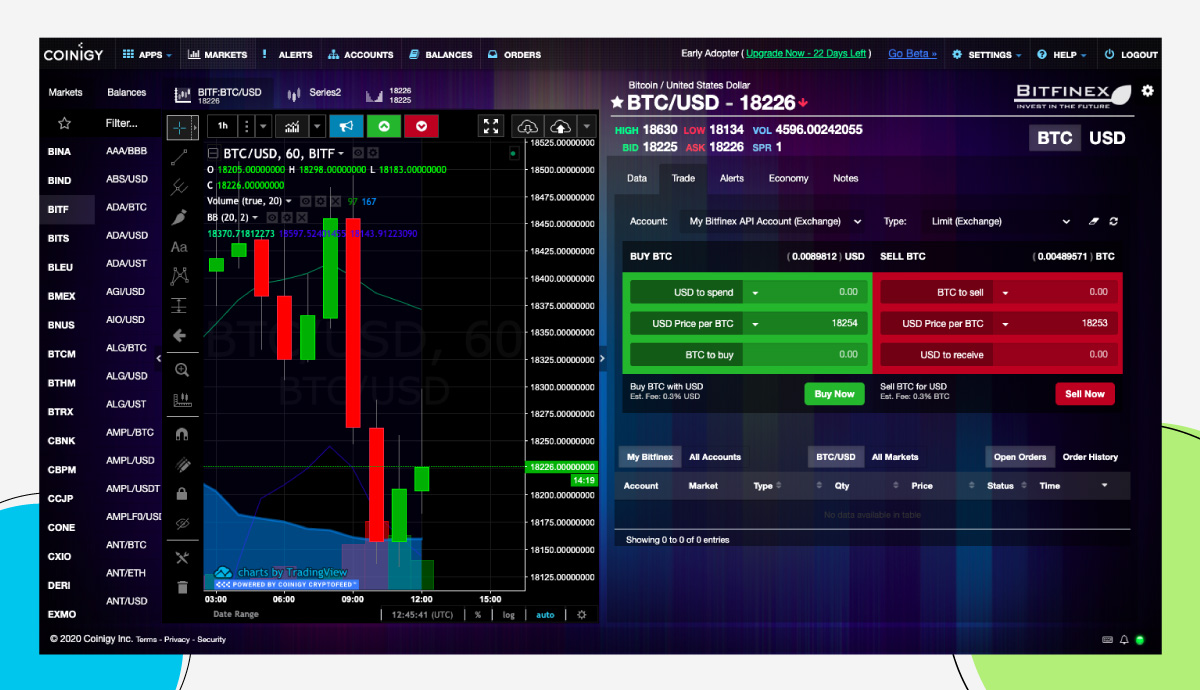

Coinigy Review: A Complete Guide

- 1. Intro
- 2. What is Coinigy?
- 3. Coinigy Key Features
- 4. Coinigy Pricing
- 5. Is Coinigy safe?
- 6. Coinigy Pros and Cons
- 7. Good Crypto VS Coinigy
- 8. Conclusion
Intro
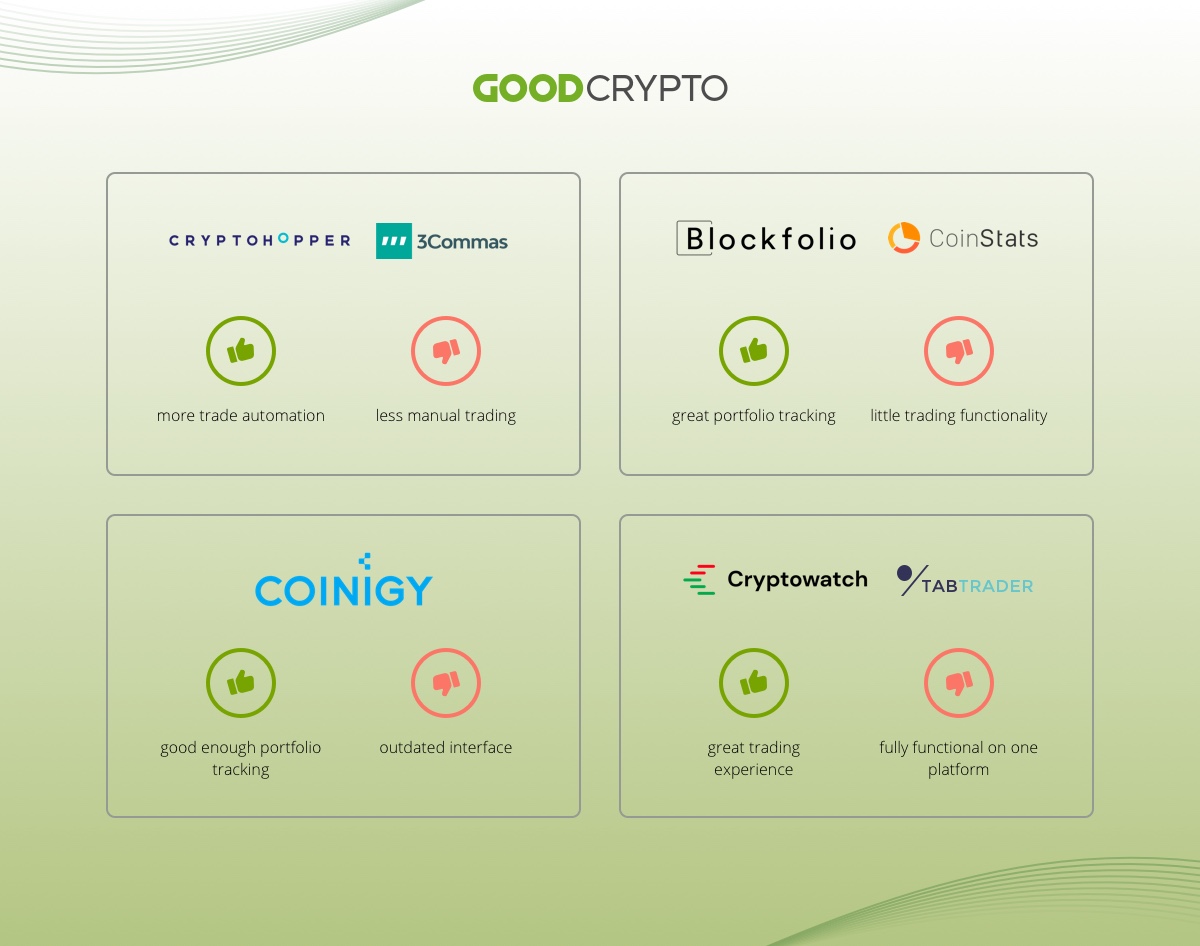
In the world of crypto trading and portfolio management apps, there are several top runners worth a shot. Most of such apps have clear strong sides but also blind spots alongside them. They do one thing really well but fail at the others.
Some, like Cryptohopper and 3commas, focus on trade automation, and are less concerned with manual trading. Others, like Blockfolio and CoinStats, offer great portfolio tracking but have little, if any, trading functionality.
Some, as you’ll learn from this Coinigy review, offer decent multi-exchange trading alongside good enough portfolio tracking, but have a clearly outdated user interface. Others have a great trading (Cryptowatch) or charting (TabTrader) interface but their full functionality is only available on a single platform, and they do not offer portfolio tracking…
What we, at Good Crypto, believe to be the biggest ‘miss’ of most multi-exchange trading platforms is that they offer very few trading features on top of what is already available on crypto exchanges. Sometimes it is caused by their apps’ suboptimal architecture that allowed them to deliver the initial product fast but limited their future functionality. But often it seems like the development teams simply run out of energy, or ideas, or both, to offer their users what they can’t find elsewhere.
Most of the leading apps in this niche started early on and have built a stellar reputation and a large user base. That being said, what felt like a blast in 2017, doesn’t track in late 2020 – or does it?
In this series about crypto multi-exchange trading and portfolio management apps, we’ll take a look at the features, pricing, as well as pros and cons of the products you’re probably already considering. And the first one in our lineup is the Coinigy review. So, what is Coinigy?
What is Coinigy?
Long before the hype of 2017 when Bitcoin roared across the world, programmer Robert Borden and individual investor William Kehl from Milwaukee ganged together to code a trading algorithm that would exploit arbitrage opportunities on different crypto exchanges.
Back in time – it was 2013 – the difference in price on top of various crypto exchanges could be significant, and a few adventurous go-getters were already doing manual arbitrage trading. However, Borden and Kehl were among the first ones to automate the process. And this, basically, got them terrific traction.
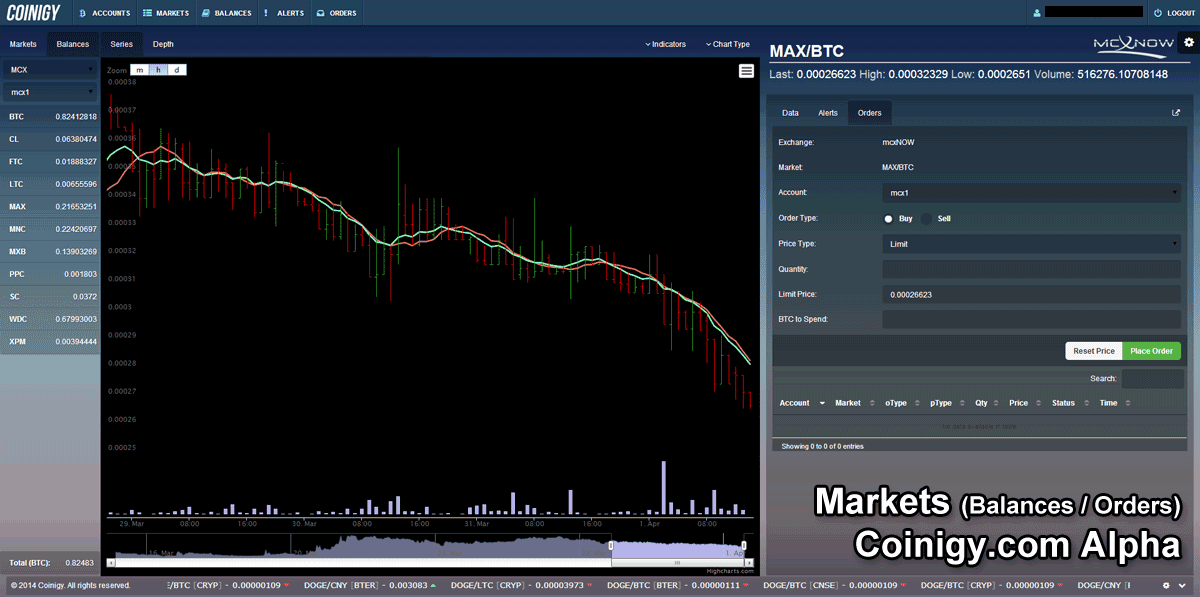
Coinigy, alpha-version, circa 2014. Source: William Kehl, Twitter
In 2015, they created a portfolio tracker and trading terminal called Coinigy where you could manage all of your wallets and trade on certain exchanges. Following their original vision, the product also offered interesting arbitrage tools and crypto news you could utilize for trading purposes. All things considered, it was a breakthrough at that time. And the community was eagerly waiting for more from such a team.

From left to right: Robert Borden, founder of Coinigy, Derek Urban, chief financial officer, William Kehl, founder of Coinigy. Source: Milwaukee Journal Sentinel
However, the time was running, and not much was happening. Finally, in addition to their initial web version, the team has released iOS and Android apps.
The mobile app is somewhat quirky to navigate and more suited for tracking a crypto portfolio, because there’s no trading functionality on iOS, only on Android. The original web version, nevertheless, is still good for trading, charting, and such in-built apps as ArbMatrix, BlockExplorer, ChartScanner, CryptoTicker, GoogleSheets, MarketWatch, NewsWire, and SocialScanner.
The trading terminal offers limit and stop-limit order types. Stop-limit orders are synthetic, i.e. handled on Coinigy servers, thus available on all exchanges. However, you won’t find not only advanced order types such as trailing stop and take-profit/stop-loss but even the basic market and stop-market orders, which is kind of strange for a trading app. Also, there is no trade automation, only visualization of potential arbitrage opportunities that are arguably not realizable via manual trading.
Coinigy monitors 43 exchanges, including Binance, Bitfinex, BitMEX, Gemini, etc, but you can only trade on 11 of them.
Coinigy Key Features
Trading functionality on Coinigy is mostly limited to spot trading, however, they have margin trading available on the Poloniex exchange and Bitfinex. As for futures trading, they have Binance Futures listed on the beta version of the platform (V2) but not fully rolled out yet. However, remember that this all doesn’t work with iOS.
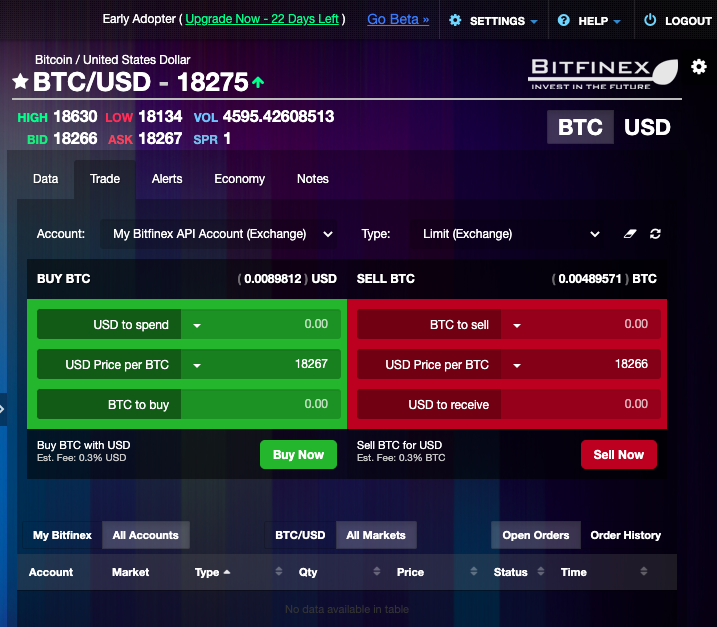
Trading terminal on the web version of Coinigy
You can set order size both in base and quoted currency (i.e., I want to buy 0.025 BTC or I want to spend $500 to buy BTC) which is a nice touch and a highly sought-after feature by many traders.
Placing an order on the exchanges takes seconds. As soon as the order is executed, you may find it under the tab “Orders”.
In the Coinigy app, there’s a built-in calculator to convert one currency into another, the historical market data feed with trades and bids/asks on all the supported exchanges, an order book, recent trades in real time, a notepad, and an alert for a change in price. However, this alert option doesn’t always work in the mobile app.
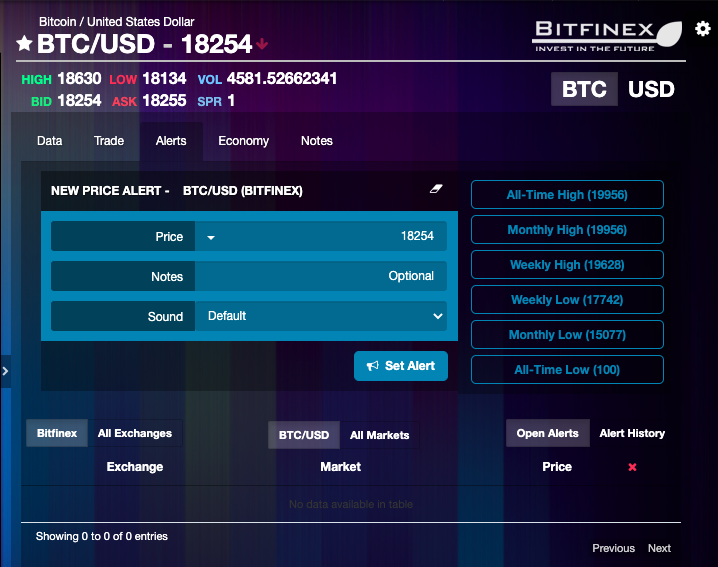
Alerts on the web version of Coinigy
It’s possible to enable price and volume alerts in the form of SMS, email messages, and browser notifications. Browser notifications include price alerts in the range from an all-time high, through a weekly low, down to an all-time low.
The extensive charting functionality is exported from TradingView, including more than 70 technical analysis indicators.
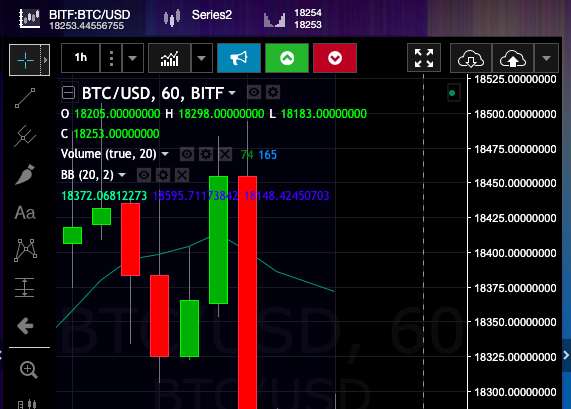
TradingView charting functionality on the web version of Coinigy
With Coinigy, you can trade on top of 11 exchanges: Binance, Bitfinex, Bitstamp, Bittrex, CEX.io, Coinbase Pro, Huobi Pro, Kraken, Kucoin, Poloniex, and Vaultoro.
Stop and stop-limit order types available.
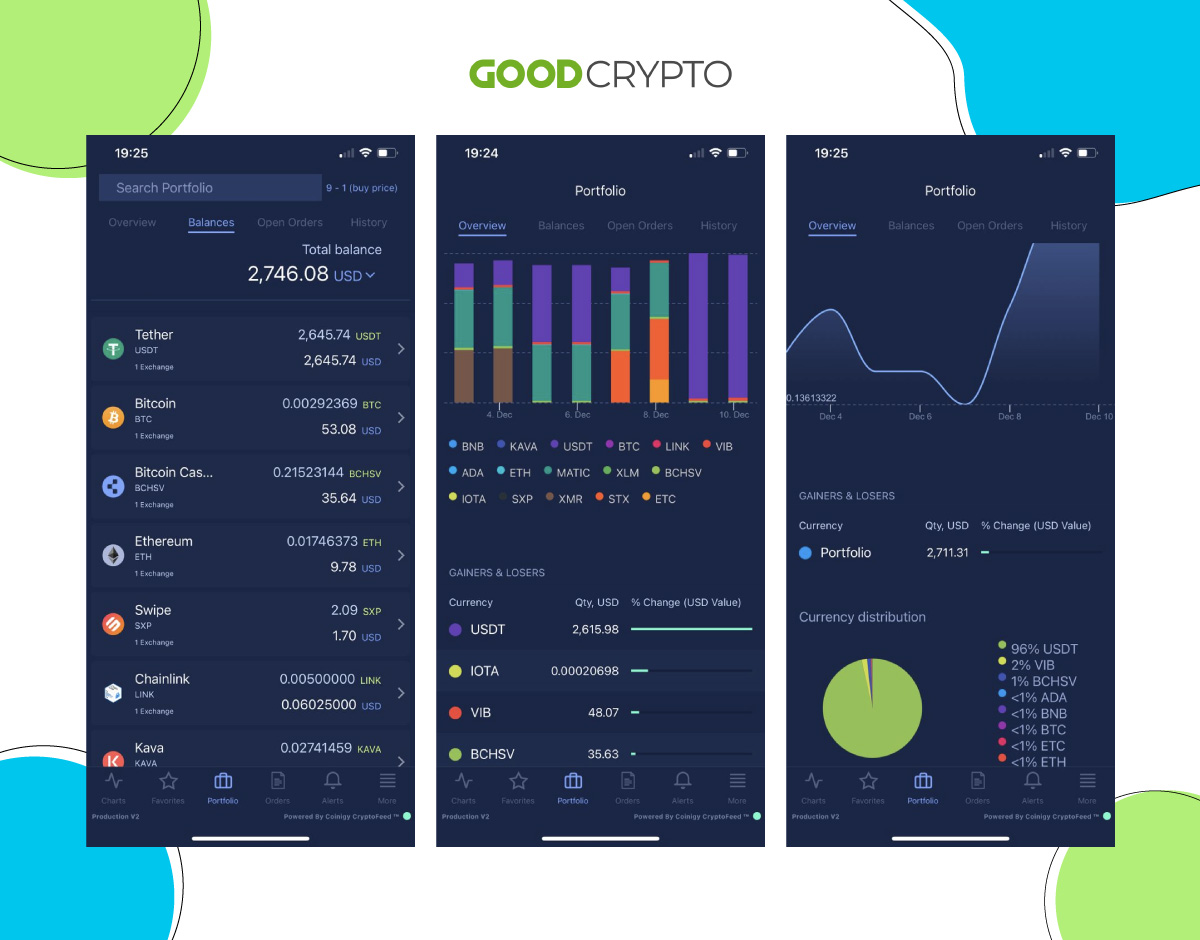
Coinigy’s prices and visual tools to track portfolio on the mobile phone
Portfolio monitoring includes currency distribution in a form of a pie chart, total balances, open orders, and orders history. The app not only tracks wallets but also accounts on different exchanges. As for blockchains supported, they cover balance tracking for almost a hundred different blockchains, which is impressive!
The service covers 5000+ coins and monitors 43 exchanges.
Coinigy Pricing
App Store
According to App Store, the paid subscriptions on Coinigy range from $19.99 per month to $186 per year with a free 30-day trial offered once you subscribe.
When you’re logged in
When you get logged in to the web version, you learn that there are many more options. For example, the month-to-month subscription costs $21.95; if you pay quarterly, it will cost you $20.99; the semi-annual plan is $19.77, the price for the annual one is $18.67, and the monthly crypto feed package for developers is $99.99. The good thing is that on Coinigy you can buy Bitcoin with a credit card or PayPal.
Coinigy official page
On the Coinigy website, there are only three subscription types presented: Starter Account or Free Plan, Pro Trader ($18.66), and API Developer Pro ($99.99).
Free Plan or Starter Account is not quite free, though. What the word ‘free’ basically means in this context is that you get 30-day trial access to the platform, which should be upgraded to Pro Trader after a month.
Pro Trader Plan that costs $19.99 per month, according to App Store, and $18.66, according to the official website, allows you to add to Coinigy unlimited API accounts, unlimited chart layouts, unlimited trading session length, and stop-limit orders.
As for the API Developer Pro Plan, it’s an enterprise plan for companies that are interested in purchasing data sets with the history of trades on top of certain exchanges, and it costs $99.99.
What lacks in the free version
With the free version, you can trade only with the limit order type only – if it’s not iOS. You can’t trade on the Coinigy iOS app at all.
Price comparison
To give you a short overview, let’s take a look at the pricing of Coinigy competitors. TabTrader’s Pro costs $10.99 per month and $109.9 per year. Good Crypto’s price for a monthly Pro Plan is $9.99 and only $69 for an annual subscription.
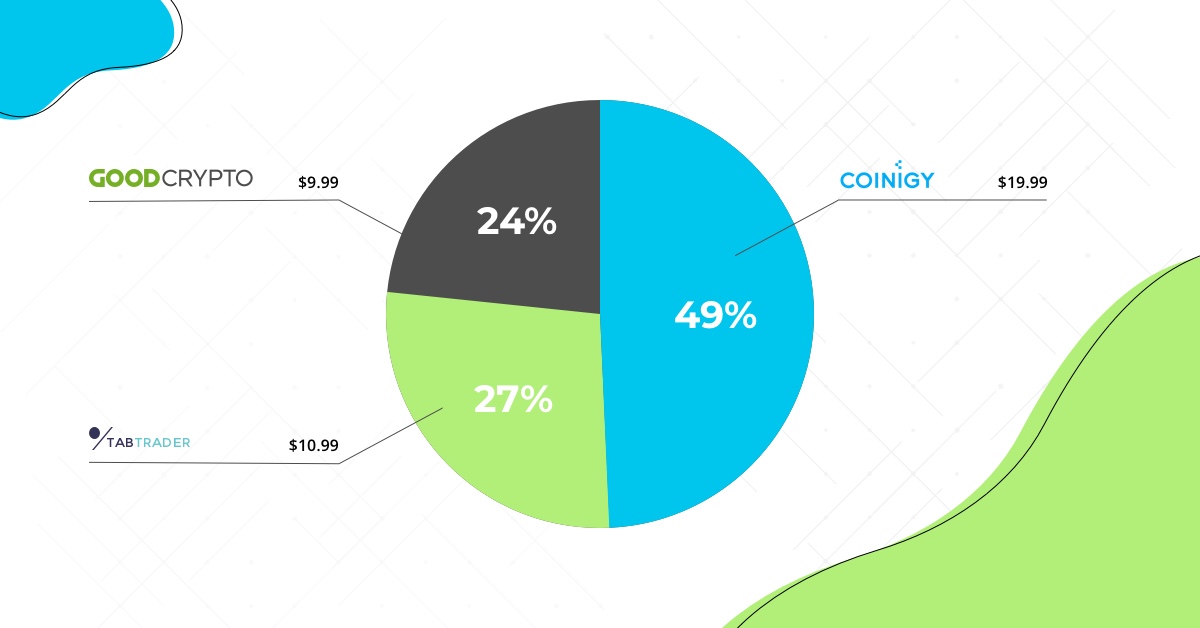
Monthly balance of prices across different apps: Good Crypto, Coinigy, TabTrader
Does Coinigy with its $19.99 per month give you a slightly-expensive-kind-of-thing vibe? Maybe you’re not wrong.
Is Coinigy user-friendly?
When the web version of Coinigy saw the light in 2015, their setup was revolutionary. They allowed you to trade and track all of your exchanges and wallets in addition to some arbitrage trading tools – all in one place.
With their server-side backend and advanced tools for arbitrage trading, everybody was only expecting the team to keep on going with further technical development.
A few years later, the team created mobile versions of the product for iOS and Android, but the web version still looks pretty much as in 2017.